Custom highlight styles
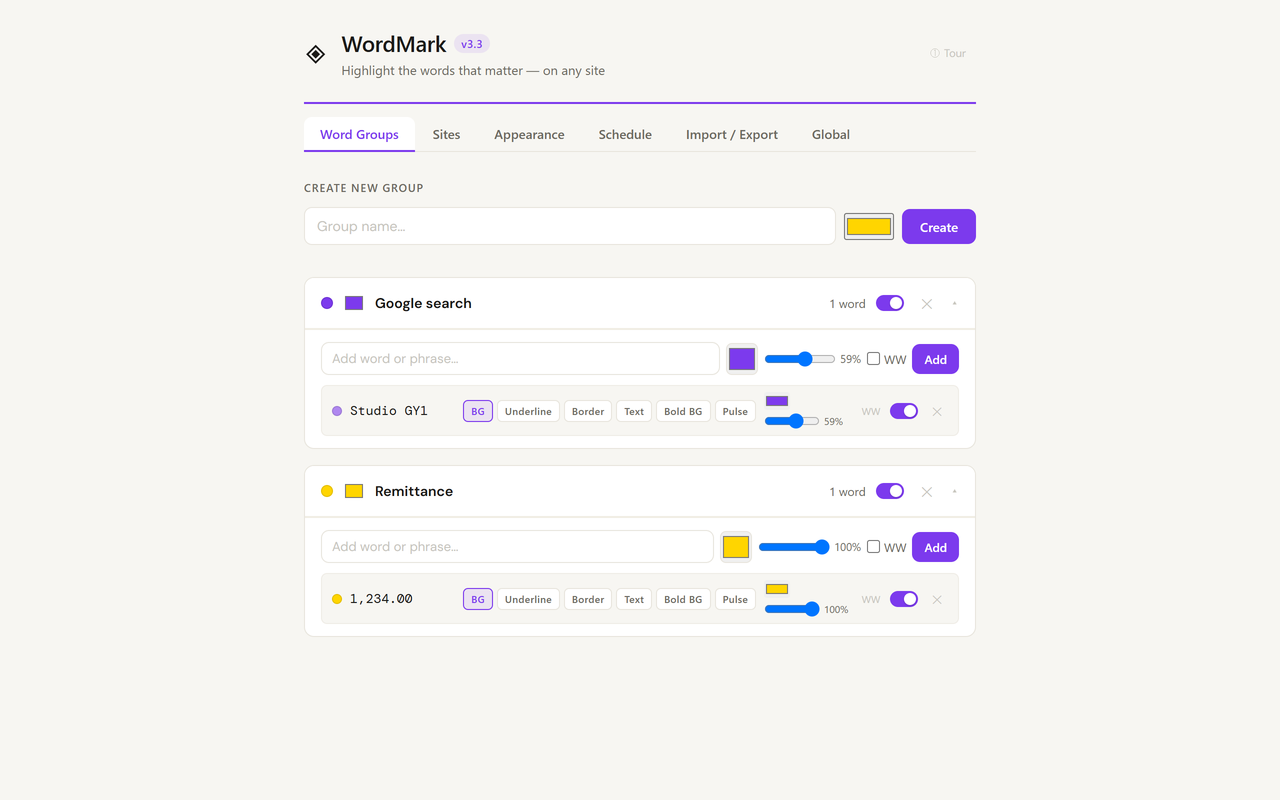
Choose from six styles for each word: background, underline, border, text colour, bold or pulse animation.

PROJECT 05 / STUDIO GY1
DIGITAL PRODUCT / BROWSER EXTENSIONA browser extension that automatically highlights chosen words and phrases across the websites you visit.
 05
OVERVIEW
WordMark lets you mark important words as you browse and have them highlighted automatically on every page.
Create groups of words or phrases, choose a colour and see them highlighted across websites. It is designed to be simple to configure and work wherever you browse.
PRODUCT SCREENSHOTS
WHAT YOU CAN DO WITH WORDMARK
Choose from six styles for each word: background, underline, border, text colour, bold or pulse animation.
Organise words by topic, project or context. Each group has its own colour and can be enabled or disabled with one click.
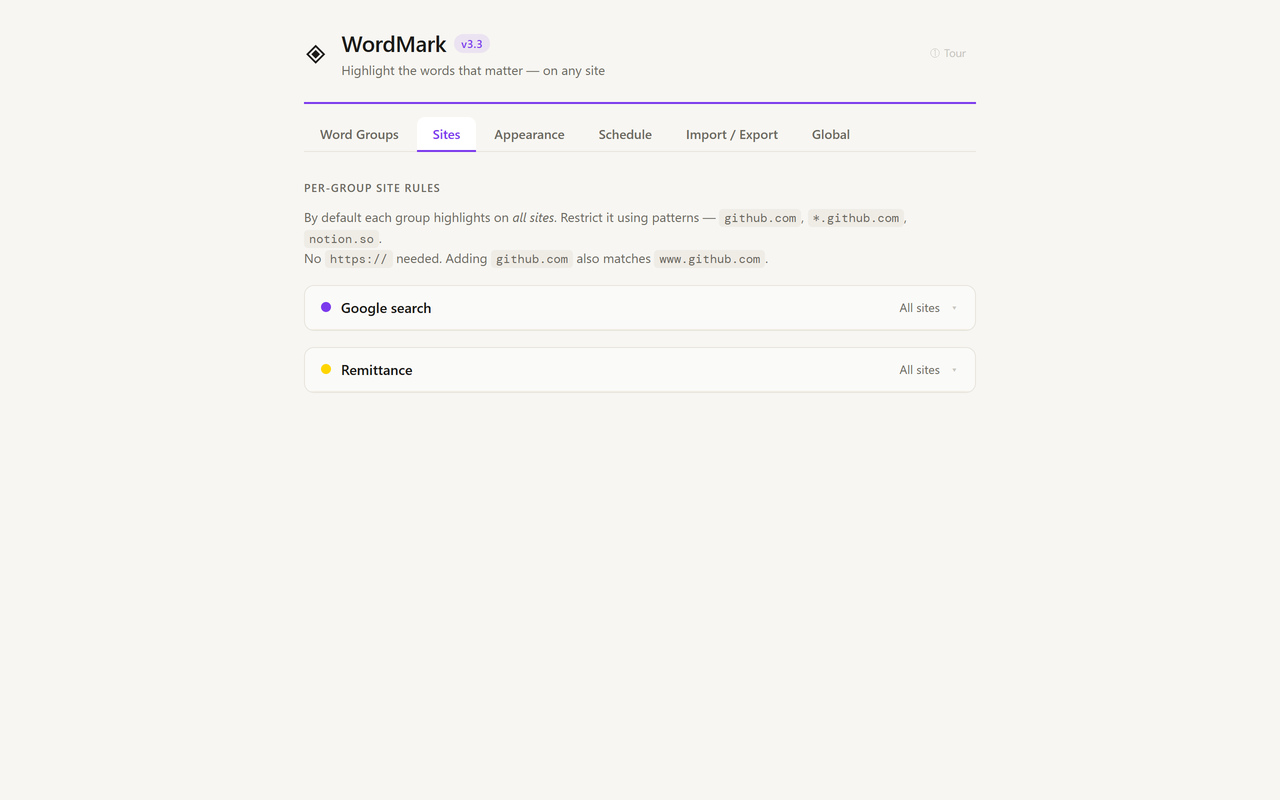
Choose where each group applies, such as only on GitHub or everywhere except a specific site, using simple domain patterns.
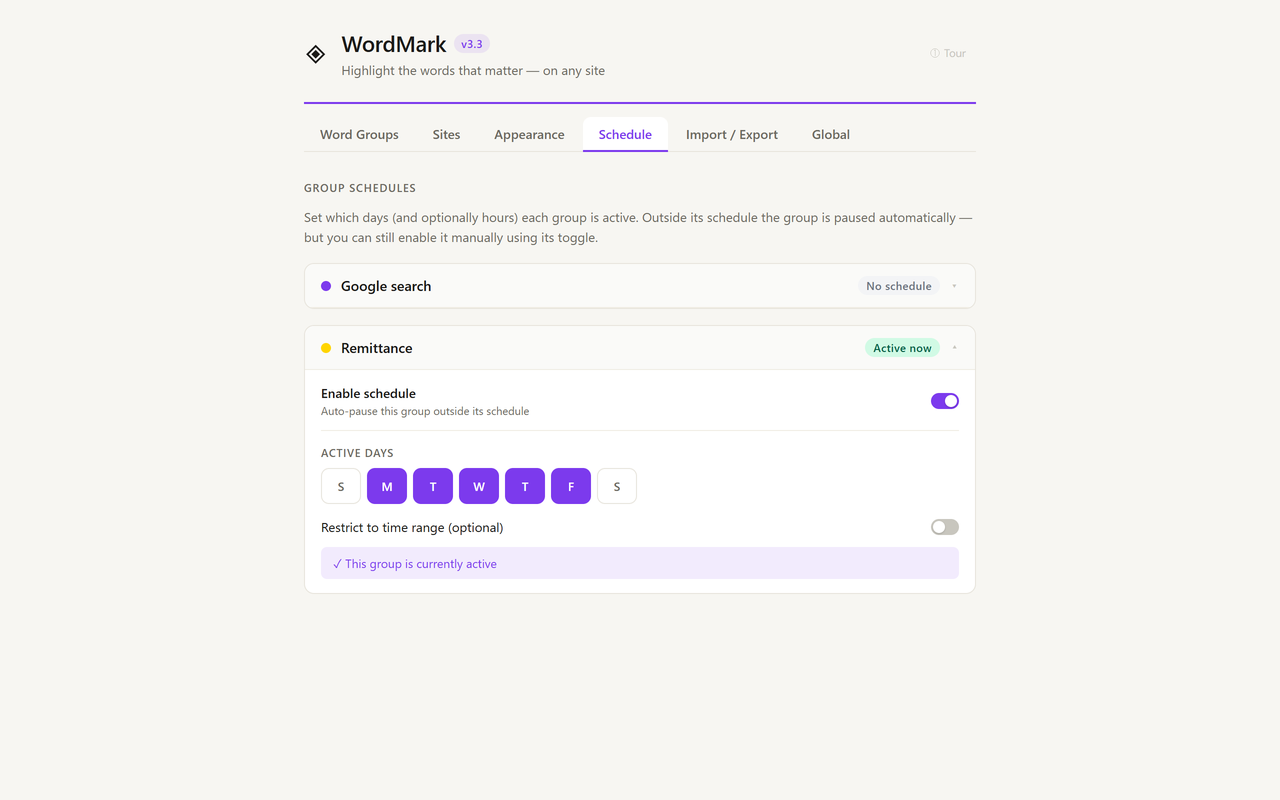
Set the days and hours when each group is active. WordMark pauses it automatically outside its schedule.
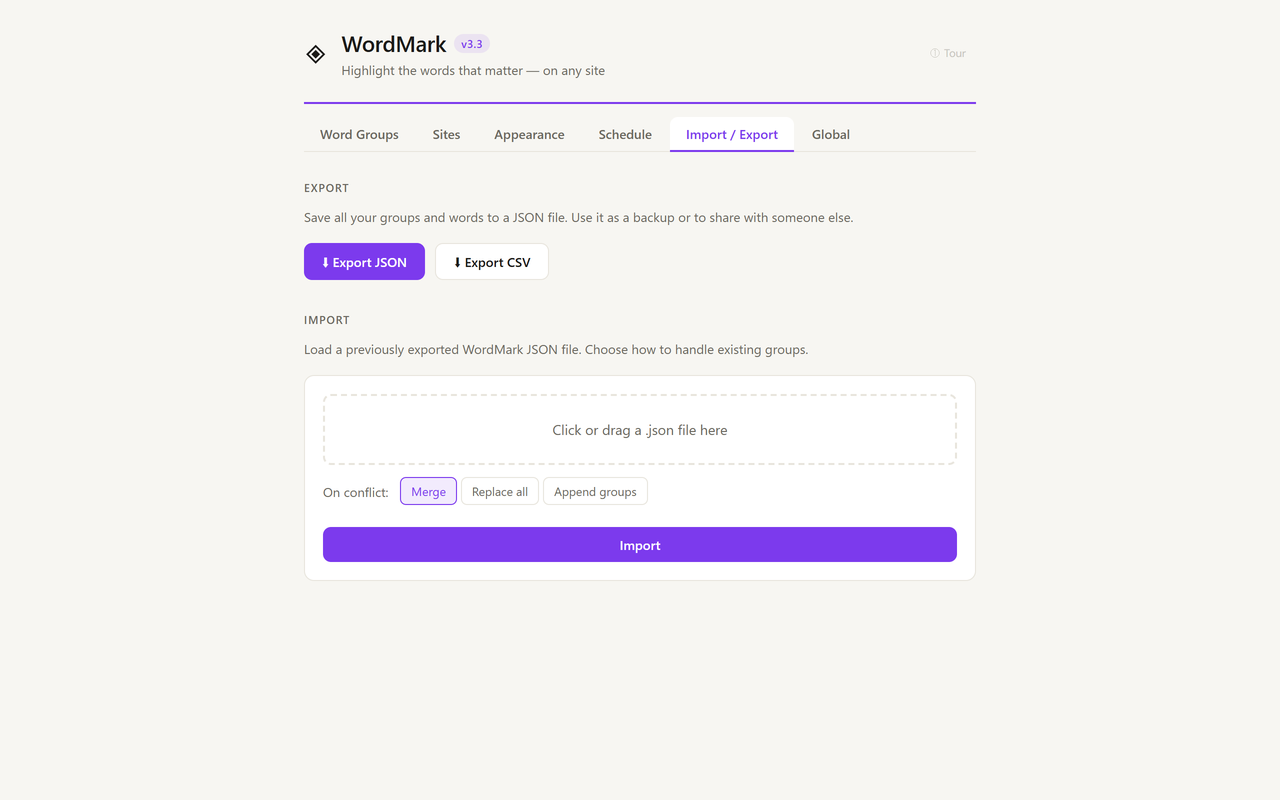
Back up all groups and words to a JSON file and restore them on any device in seconds.
Available in English and Brazilian Portuguese, with more languages planned.
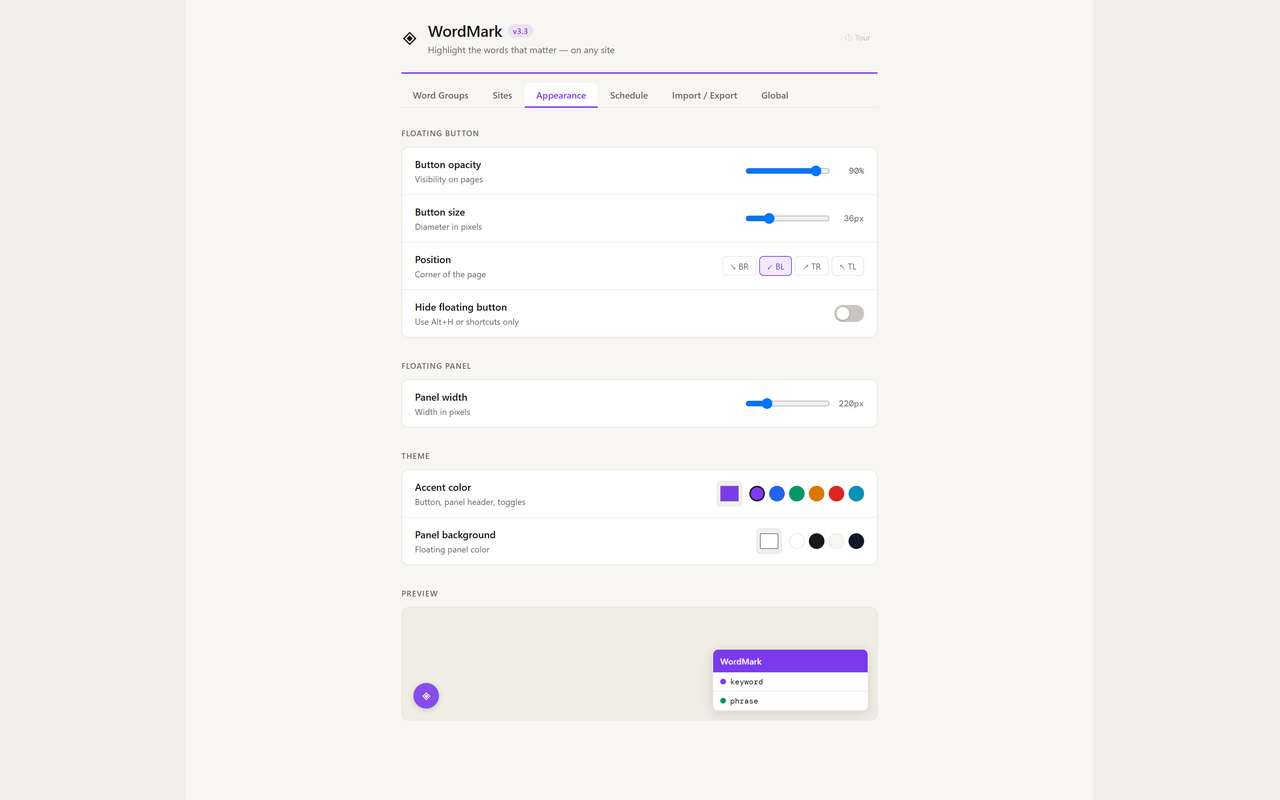
Adjust the floating button size, opacity, position and accent colour. Change the panel width, hide the button or use shortcuts only.
Highlights text inside complex web apps that use Shadow DOM, including enterprise tools such as ServiceNow and Salesforce.
WordMark works entirely in your browser. Words and groups are stored locally and are never sent to a server or shared.
HOW TO GET STARTED
WordMark keeps important terms visible while you browse, with flexible controls for where, when and how they appear.